High RAM usage on VMmemWSL when you have docker
February 1, 2026· ·
1 min read
·
1 min read
Chi Yau
今日做做下野時發現部 Asus S13 32GB RAM 既 laptop 有 D lag,睇下 task manager 就發現 VMmemWSL 佔用咗大約 14GB 既 RAM。
係 Windows 機遇到呢 D 問題通常都會 restart 部機睇下會唔會解決到…
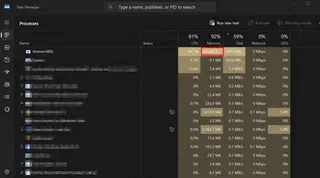
點知 restart 完之後一開 docker VMmemWSL 都用咗 4GB RAM,無乜點做野都無左 4GB。
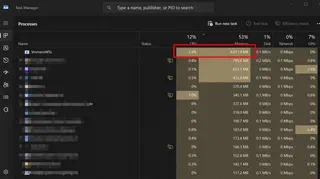
問左 Gemini 佢話通常因為有 DB 既機係 Docker 會自己 allocate 大量 RAM。
但係我又無真係用緊佢都用咁多 RAM…
再做左 D 資料搜集,發現原來係 Docker Desktop + WSL2 既問題,佢會自己 allocate 大量 RAM 俾 WSL2 用。
解決方法
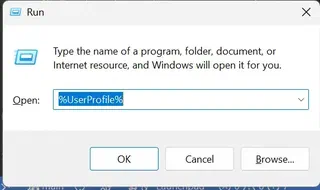
Win+R "%%USERPROFILE%%" 打開 User Folder,睇下有無一個 .wslconfig file。
無就 create 一個 .wslconfig file,入面加以下內容:
[wsl2]
memory=4GB # Limits VM memory in WSL 2 to 4 GB
processors=4 # Makes the WSL 2 VM use two virtual processors

[experimental]
autoMemoryReclaim=gradual # Enables gradual memory reclaiming, which allows WSL 2 to release unused memory back to the host system over time
咁就可以限制 WSL2 用最多 4GB RAM,同埋開啟 gradual memory reclaiming 功能,讓 WSL2 可以隨時釋放未使用的記憶體回主機系統。
Save 完之後重啟部機,再開 docker 就會見到 VMmemWSL 只係用左大約 4GB RAM,唔會再有之前咁大既 RAM usage 啦。

Hope you find it useful

Authors
App Dev
I’m Chi, a passionate tech enthusiast exploring the latest innovations in GenAI, LLMs, web development, performance tuning, and cybersecurity. As a tech guy at a startup, I aim to share my experiences, insights, and lessons learned in the fast-paced world of technology. Join me on this journey as we dive into the exciting challenges and triumphs of building and scaling tech solutions!